VirtFusion Installing Windows

VirtFusion Installing Windows
This guide will explain how to install Windows Server 2022 via our VPS Panel.
Media Setup
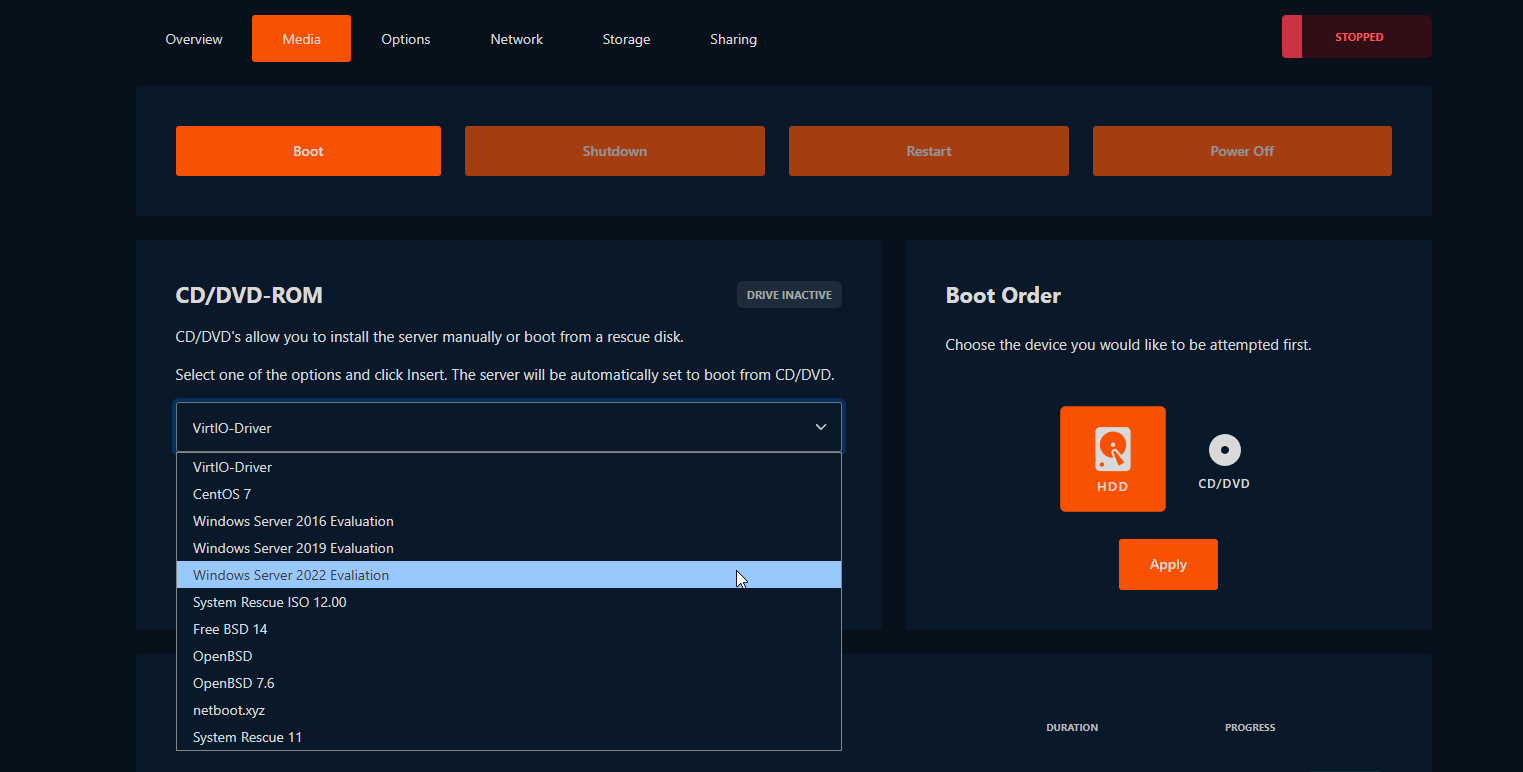
First, insert the Windows Server 2022 Evaluation image under the Media tab. Once inserted, go to the VNC Console in the Overview tab, its button is located just under the hostname of your VPS. If VNC isn’t enabled yet, you’ll need to enable it under the Options tab to continue.
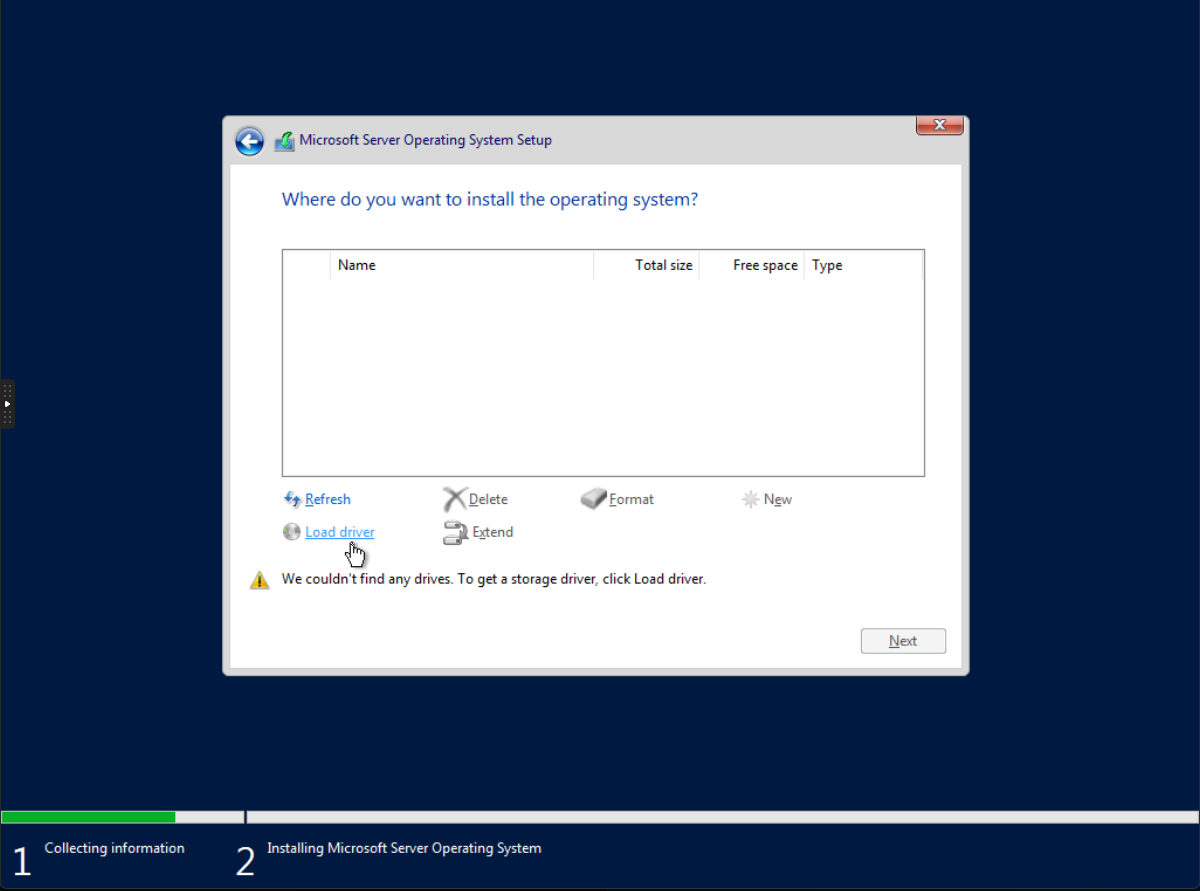
Via VNC, you’ll be able to configure your installation. Proceed normally until you reach the Select Driver step. At this point, go back to the Media tab and eject the active Windows image. Do this without modifying the VPS power status.
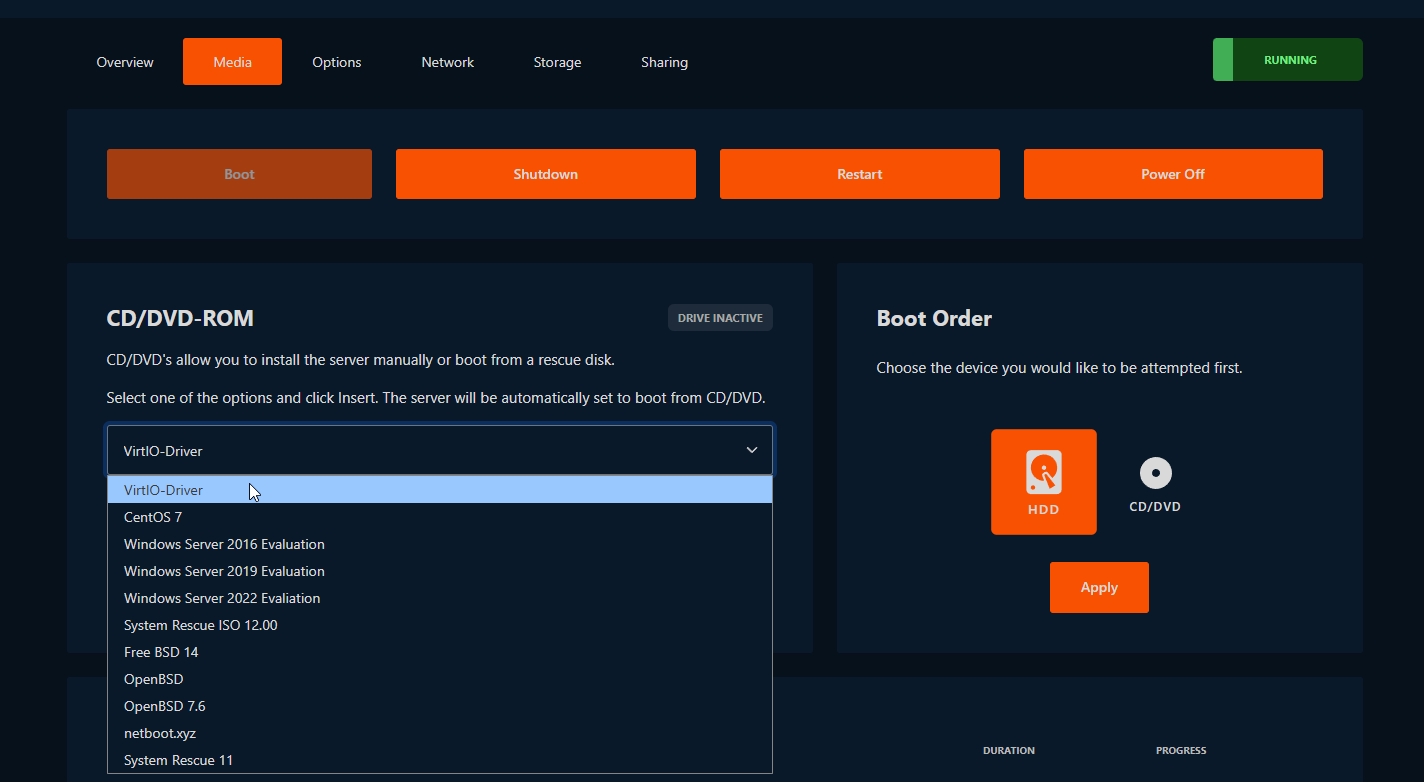
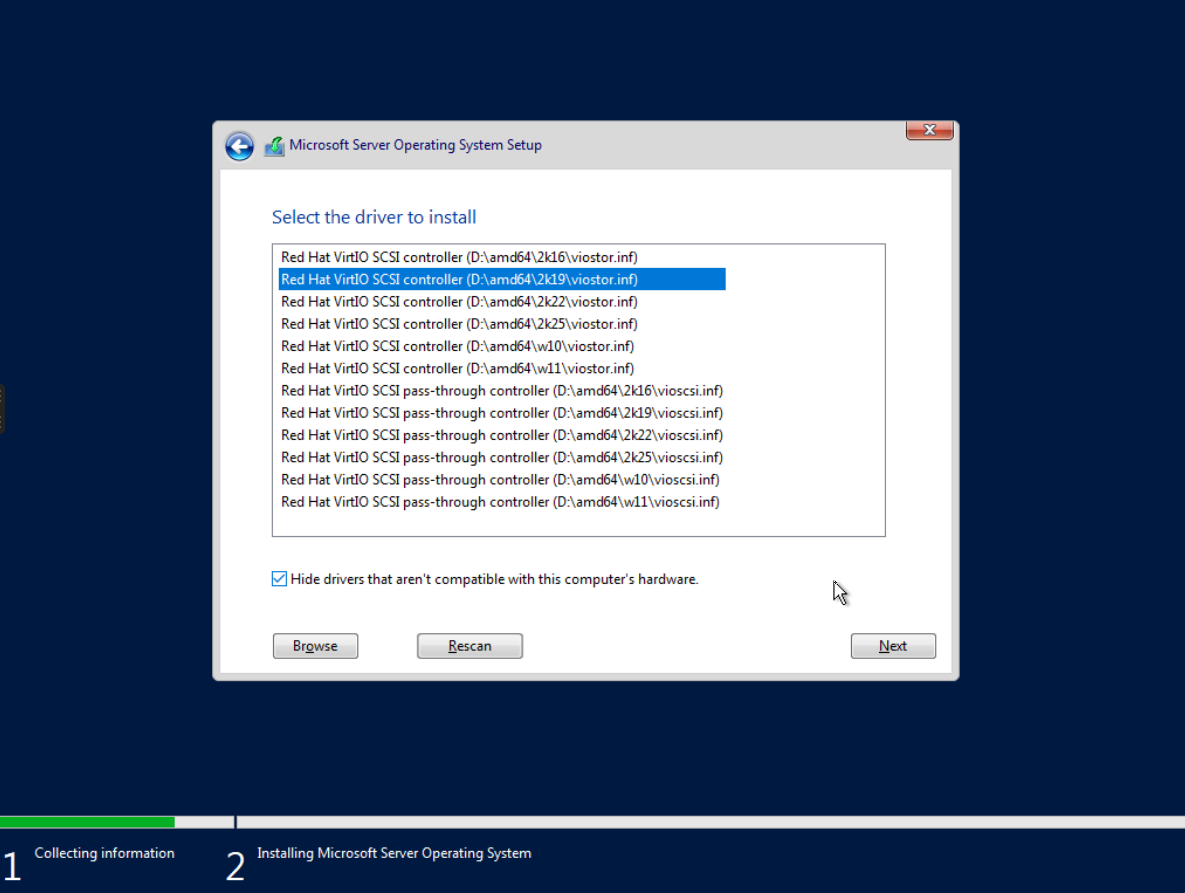
Insert the VirtIO-Driver image and then return to VNC. Click Load Driver and then Rescan if necessary. From the list of drivers, select the 2k19 SCSI option (non-passthrough), as shown above. After the driver installs, revert the change by re-inserting the Windows Server 2022 image. You can now proceed with your installation as you normally would.
If your VPS does not boot to Windows automatically, you may need to move Windows Boot Manager to the top of the boot order in the BIOS.
Installing Your Network Driver
Similarly to the steps above, insert the VirtIO Drivers image under Media. This time, however, insert it while the VPS is already booted into Windows. A new CD/DVD entry will appear in File Explorer. From this media device, run virtio-win-gt-x64. After doing this, you can unmount the image from Media.
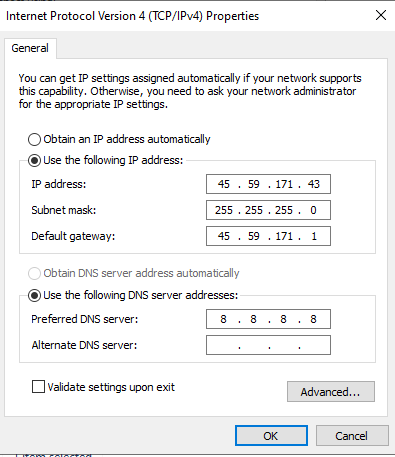
To configure your NIC, go to Network Configuration within Windows, and open the Internet Protocol Version 4 settings from the properties menu of your Ethernet adapter. You’ll need to configure the system to use the specific IP address you provide.
You can find the IP address, subnet mask, and default gateway under the Network tab in the VPS panel.